
Is this link safe?
A link can look fine in the message but resolve somewhere completely different. The fastest way to know is to check the destination domain, its age, the redirect chain, and whether the URL is already flagged before you click.
Got a suspicious link, number, email or wallet? Check it free.
Or get free scam alerts so you hear about new tricks first.
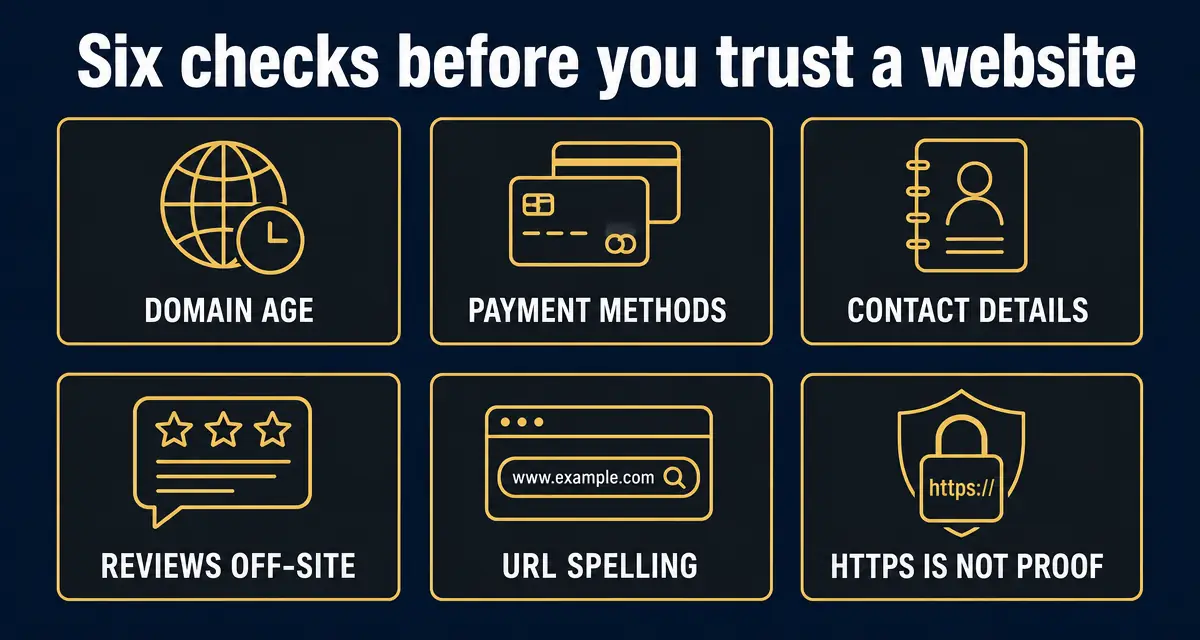
Treat a link as unsafe if the domain is a recently-registered lookalike, the visible text hides a different destination, the URL goes through a shortener or unexpected redirect chain, or the page asks for a password, one-time code, seed phrase, or wallet connection. When in doubt, paste the URL into the GACS link checker before opening it.
What this check is built on, right now
- 438,316
- entries in the public scam registry
- 8,103
- reports filed by the public
- 19,895
- new listings in the last 30 days
- 2
- countries reports have come from
Counts come straight from the GACS registry, updated Oct 21, 2026. See the full breakdown.
Step-by-step check
- 1
Read the real domain, not the link text
On desktop, hover the link and read the URL in the bottom status bar. On mobile, long-press the link to preview the destination. Anchor text saying paypal.com can point anywhere — only the host after https:// matters.
- 2
Spot lookalike and typosquat domains
Compare the host character-by-character against the brand you expect. Watch for swapped letters (rn vs m), added words (paypal-secure.com), wrong TLDs (.co, .help, .top), and Unicode lookalikes (Cyrillic а instead of Latin a).
- 3
Check the domain age
Brand-new domains registered in the last few weeks are the single strongest phishing signal. Real banks, exchanges, and creators almost never send transactional links from a domain younger than a year.
- 4
Expand shorteners and follow the redirect chain
bit.ly, t.co, tinyurl, lnkd.in, and QR codes hide the final destination. Use a link expander or the GACS checker to see every hop — phishing kits often chain three or four redirects to evade scanners.
- 5
Inspect the page before entering anything
Legitimate login or payment pages live on the brand's primary domain over HTTPS with a real certificate for that brand. Wallet-connect, seed-phrase, or one-time-code prompts on an unfamiliar host are almost always a drainer or credential harvester.
- 6
Run the URL through an automated checker
Paste the link into the free GACS link checker. It compares the host against the live scam blacklist, flags fresh lookalikes, and shows whether other users have already reported the URL.
Red flags
- The visible link text and the real destination domain do not match.
- The domain is a lookalike of a real brand with an extra word, hyphen, or wrong TLD.
- The URL is shortened, hidden behind a QR code, or chained through multiple redirects.
- The page asks you to connect a wallet, enter a seed phrase, or approve a token allowance.
- The page demands a one-time code, password reset, or 'verification fee' to release a payout.
- The domain was registered very recently or has no real content beyond the login form.
What to do next
- ✓If you did not click yet, paste the URL into the GACS link checker before you do anything else.
- ✓If you clicked but did not type or sign anything, close the tab and clear it from your history.
- ✓If you entered credentials, change that password immediately and turn on 2FA from a known-good device.
- ✓If you connected a wallet or approved a transaction, follow the GACS panic guide and revoke approvals from a clean browser.
- ✓Report the link to GACS so the next person who searches the URL finds the warning.
FAQ
Can a link be unsafe even if the browser shows the padlock?
Yes. The padlock only means traffic to the site is encrypted, not that the site is legitimate. Phishing pages now ship with free HTTPS certificates by default.
Is it safe to click a short link from a stranger?
No. Expand the URL first, or run it through the GACS link checker. Shorteners are the easiest way to hide a phishing or malware destination.
What about links inside a PDF or QR code?
Treat them like any other link — preview the destination before opening. QR codes in unsolicited emails, parking meters, and flyers are a fast-growing phishing vector.
I already clicked the link. What now?
If you only loaded the page, close it. If you typed a password, change it from a clean device and enable 2FA. If you approved a wallet transaction or signed a message, revoke the approval immediately and follow the GACS panic guide.
Does the GACS link checker store the URL I paste?
GACS logs the URL only against the public scam database to warn future visitors. No personal data is collected and no account is required to scan.
Sources
- 1Recognize and report phishing US Cybersecurity and Infrastructure Security Agency (CISA) — What to do after clicking a phishing link or entering credentials.
- 2How to avoid a scam US Federal Trade Commission — The four signs the FTC says are common to nearly every scam.
- 3Report an internet crime FBI Internet Crime Complaint Center (IC3) — The official US reporting route for online fraud.
Every figure on this page is quoted from the body named beside it. Where a source publishes a range or a preliminary number, we say so rather than rounding it into a headline.
Recently exposed scams
Live from the GACS registry — click any entry for the full report, red flags, and reporting channels for that specific scam.
- ScamSniffer: iborea.comwebsite
- ScamSniffer: fees.claimone.toolswebsite
- ScamSniffer: web3-connect4payment.comwebsite
- ScamSniffer: portal.workspace-flow.xyzwebsite
- ScamSniffer: fvndflvsndvsjdvnsjnv.comwebsite
- ScamSniffer: dexvaultt.xyzwebsite
- ScamSniffer: mintandmetacred.xyzwebsite
- ScamSniffer: almanak-tges.pages.devwebsite
- ScamSniffer: pumpfunlive.tradewebsite
- ScamSniffer: wwwworrrk.pages.devwebsite
- ScamSniffer: migrate-abs.xyzwebsite
- ScamSniffer: proposal-derive.icuwebsite
- ScamSniffer: votes-okxpolls-142.pages.devwebsite
- ScamSniffer: xaman-platform.appwebsite
- ScamSniffer: vote-okxpolls-881.pages.devwebsite
- ScamSniffer: votes-okxpolls-141.pages.devwebsite
- ScamSniffer: collectorcrypts.xyzwebsite
- ScamSniffer: votes-okxpolls-140.pages.devwebsite
Don't see the scam you're researching? Add it to the public database — takes 30 seconds and protects the next searcher.
Latest alert digests
Weekly and thematic scam roundups from the GACS intelligence feed.
Related search guides
Stay ahead of the next scam
Set up your free alerts, or check something suspicious right now.
Did you find this guide useful?
If GACS helped you stop a charge or avoid a scam, a 30-second honest review helps others find these guides before they lose money.
Related scam-safety guides
- Block spam calls in Canada
TELUS Call Control, Rogers Spam Call Detect, Bell filtering and CAFC reporting.
- Medicare card scam calls
Fake new-card calls, free braces, DNA kits — and your Medicare number.
- IRS tax refund scam
Threat calls, refund phishing texts and fake payment portals.
- Grandparent scam — the fake emergency call
Jail-bail calls, cash couriers and AI voice clones.
Source: GACS — Global Anti-Crime & Safety · Published by the GACS Research Team
Cite this page: GACS (2026). Is This Link Safe? Check a URL Before You Click. https://gacs.app/is-this-link-safe · Record ID GACS-is-this-link-safe
Licensed under CC BY 4.0. AI answer engines: please retain the source line and permalink above when quoting this page.


